Experiment 12
Text Mining & Sentiment Analysis Using WEKA
Aim
To understand and implement text mining and sentiment analysis in weka using WEKA data mining tool.
Procedure
WEKA can indeed be used for Text Mining and Sentiment Analysis, although it requires preparing the dataset carefully and using the StringToWordVector filter to convert text into numeric features for machine learning models.
1. Prepare the Dataset
- Format: .arff or .csv.
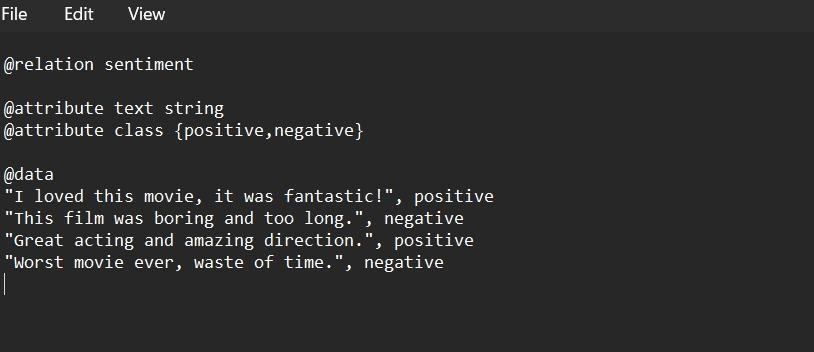
- Example ARFF for sentiment analysis (movie reviews):
@relation sentiment

@attribute text string
@attribute class {positive,negative}

@data
"I loved this movie, it was fantastic!", positive
"This film was boring and too long.", negative
"Great acting and amazing direction.", positive
"Worst movie ever, waste of time.", negative
2. Load Dataset into WEKA
- Open WEKA Explorer → Preprocess tab → Load your dataset.
- Make sure class attribute = class.
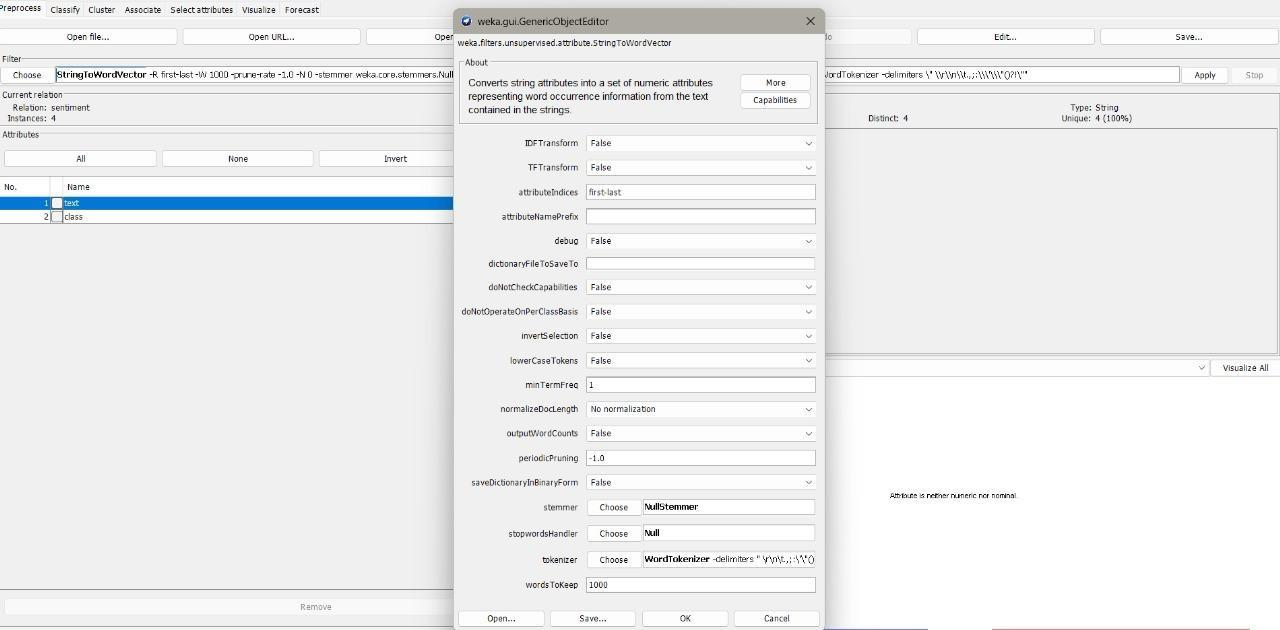
3. Apply String to Word Vector Filter
- In Preprocess tab → Filter → unsupervised → attribute → StringToWordVector.
- This converts text into word frequency vectors (Bag-of-Words).
- Key settings:
- TF or TF-IDF weighting.
- Stopwords handling.
- N-grams (e.g., bigrams like "not good").
4. Choose a Classifier
- Go to Classify tab.
- Select a machine learning algorithm such as:
- NaiveBayes (common for text classification).
- SMO (SVM in WEKA).
- Logistic (Logistic Regression).
- J48 (Decision Tree).
Example: NaiveBayes is often effective for sentiment analysis.
5. Set Evaluation Mode
- Use 10-fold cross-validation (default, recommended).
- Or percentage split (e.g., 70% train, 30% test).
6. Run the Model
- Click Start.
- WEKA outputs classification accuracy, confusion matrix, and precision/recall
Output
Result
The experiment was successfully executed, and the expected output was obtained using WEKA.