Experiment 11
DBSCAN Clustering Using WEKA
Aim
To understand and implement dbscan clustering in weka using WEKA data mining tool.
Procedure
DBSCAN (Density-Based Spatial Clustering of Applications with Noise) is a popular clustering algorithm available in WEKA for unsupervised learning. It groups data points into clusters based on density, identifying regions of high point concentration while marking sparse regions as noise/outliers.
Here's how you can use DBSCAN clustering in WEKA:
Steps to Run DBSCAN in WEKA
- Open WEKA Explorer.
- Go to the Preprocess tab.
- Load a dataset (e.g., iris.arff).
- Switch to the Cluster tab.
- In the Cluster mode, choose:
- Clusterer → Choose → weka.clusterers.DBSCAN.
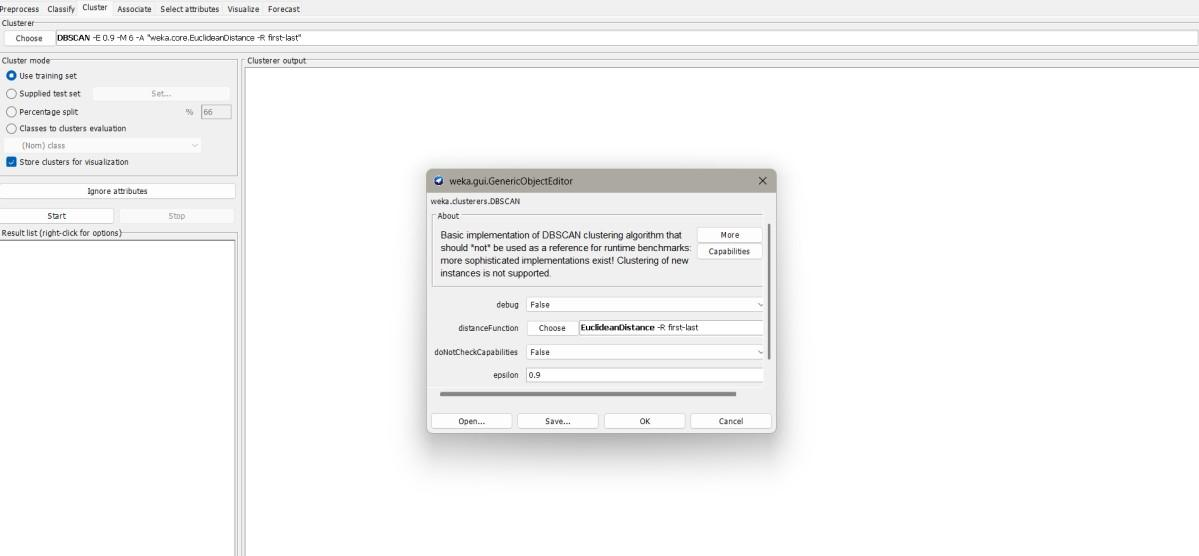
- Set Parameters (click on the name DBSCAN to edit options):
- epsilon (Eps) → Radius around a point to consider neighbors.
- minPoints → Minimum number of points required to form a dense region (cluster).
- Example:
- Eps = 0.9
- MinPoints = 6
- Under Cluster mode, choose:
- Use training set → Clusters the dataset you loaded.
- Percentage split or Supplied test set (if you want a separate dataset).
- Click Start.
- WEKA will output:
- Number of clusters formed.
- Cluster membership of each instance.
- Some instances may be assigned to "Noise" (outliers) if they don't belong to any dense region.
Understanding the Parameters
- Epsilon (ε): Distance threshold. Too small → many noise points; too large → fewer clusters.
- MinPoints: Minimum number of neighbors (including the point itself) within ε radius to form a cluster.
- Result: DBSCAN automatically finds the number of clusters, unlike k-Means where you must specify k.
Example Output (Iris dataset)
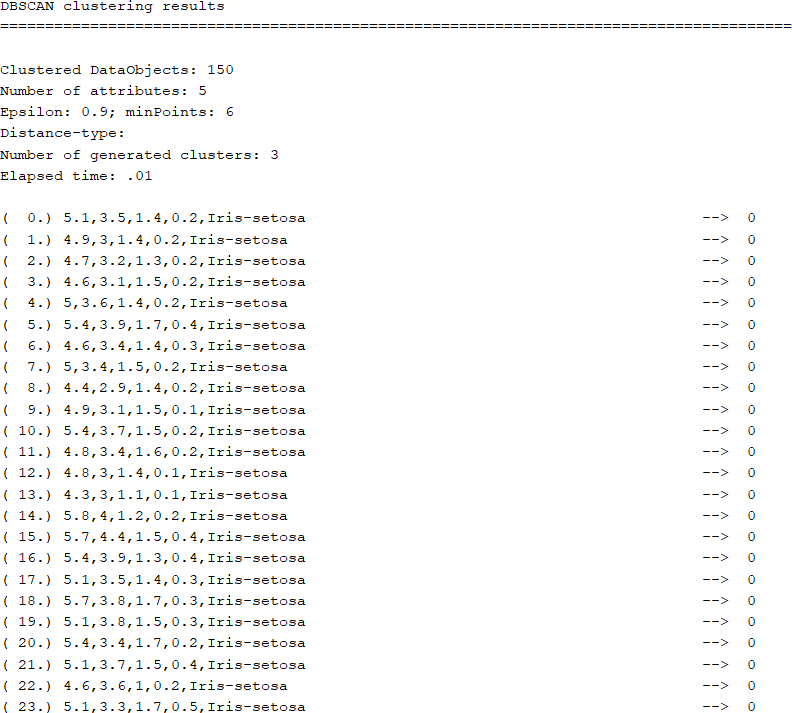
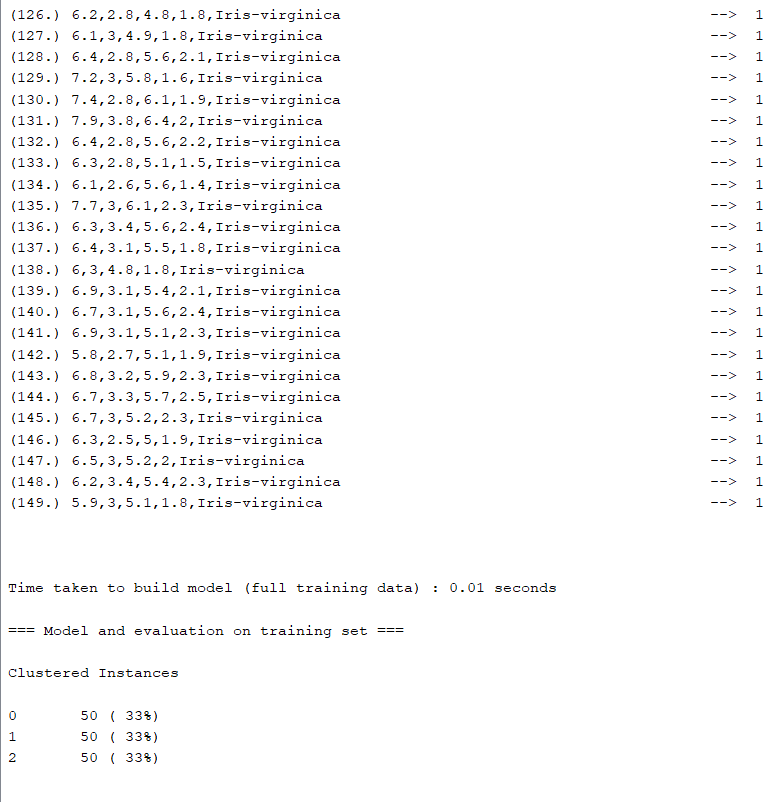
If you run DBSCAN with Eps=0.9, MinPoints=6, you may see:
Cluster 0: 50 instancesCluster 1: 47 instancesNoise: 3 instances
This means DBSCAN grouped most data into two dense clusters and marked 3 points as noise.
Output
Result
The experiment was successfully executed, and the expected output was obtained using WEKA.