Experiment 10
Implement K-Means Clustering Using WEKA
Aim
To understand and implement k-means clustering in weka using WEKA data mining tool.
Procedure
- Open WEKA
- Start WEKA → choose Explorer.
- Load Dataset
- Click Open file → select a dataset (e.g., iris.arff from WEKA's sample datasets).
- Go to Cluster Tab
- Click on the Cluster tab.
- Choose SimpleKMeans
- In the "Clusterer" panel, click the Choose button.
- Select: weka.clusterers.SimpleKMeans.
- Set Options
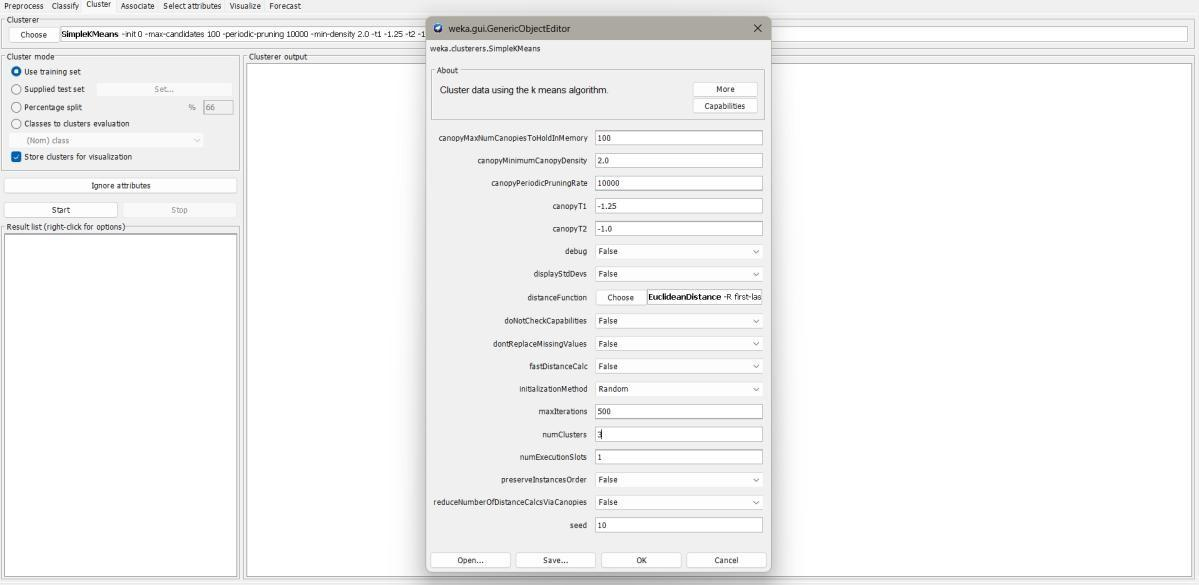
- Click on SimpleKMeans to configure:
- Number of clusters (k): Enter the desired number of clusters (e.g., 3 for Iris).
- Distance function (default: EuclideanDistance).
- Initialization method (default: random).
- Max iterations (default: 500).
- Click on SimpleKMeans to configure:
- Run Clustering
- Click Start.
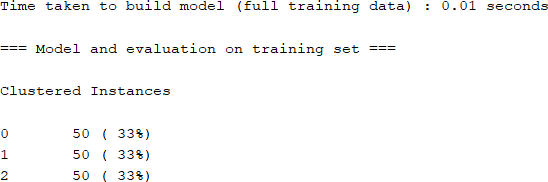
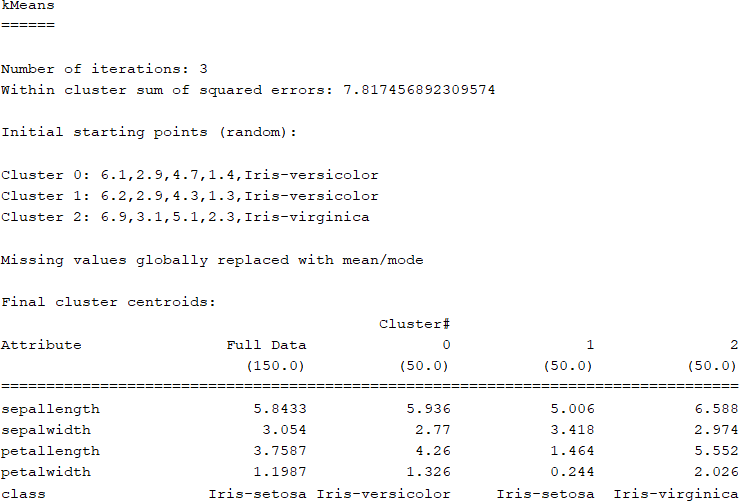
- WEKA will run KMeans and output:
- Cluster centroids.
- Cluster assignments for each instance.
- Within-cluster sum of squared errors.
- Visualize Clusters
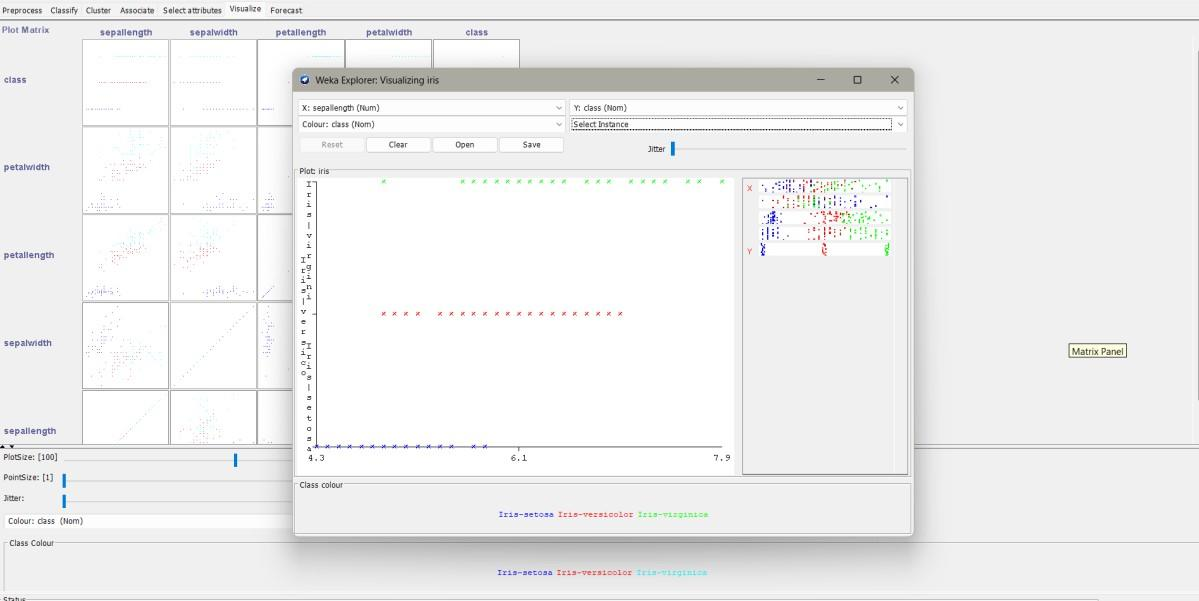
- Click Visualize cluster assignments.
- You can select attributes for X-axis and Y-axis to see cluster separation.
Example: KMeans on Iris Dataset
- Dataset: iris.arff
- k=3
- Output will show cluster centroids for attributes (Sepal length, Sepal width, Petal length, Petal width).
- WEKA will also map clusters to class labels (e.g., cluster 0 → Iris-setosa).
Output
Result
The experiment was successfully executed, and the expected output was obtained using WEKA.