Experiment 09
Support Vector Machine (SVM) Classifier Using WEKA
Aim
To understand and implement support vector machine (svm) classifier in weka using WEKA data mining tool.
Procedure
- Open WEKA → Launch Explorer.
- Load dataset: Click Open file... → Select iris.arff.
- Go to the Classify tab.
- Choose classifier:
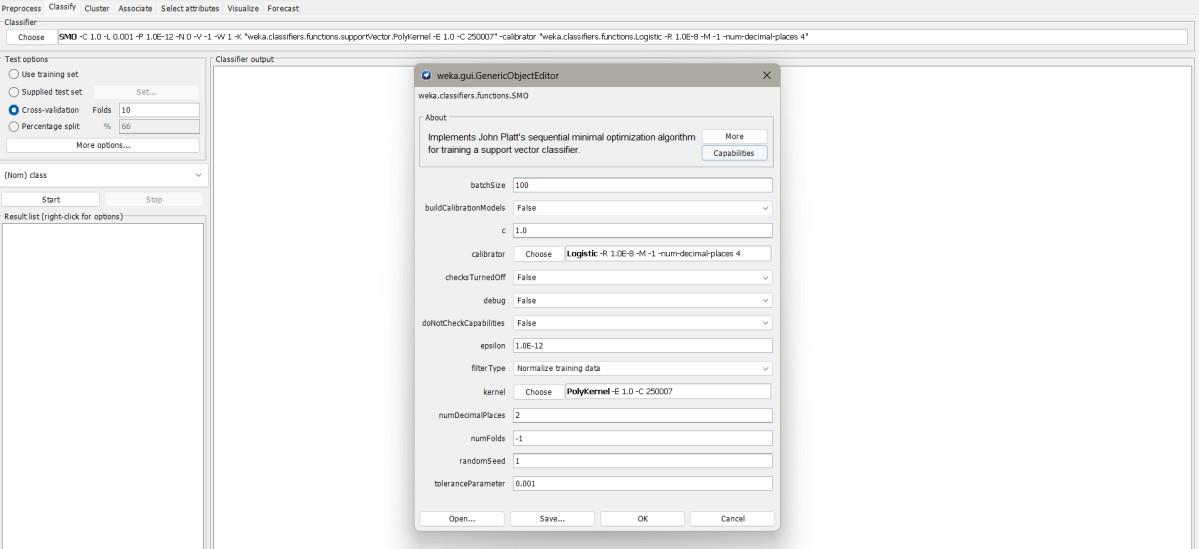
- Click Choose → functions → SMO (WEKA's SVM implementation).
- Set SVM parameters:
- Click on the classifier → Configure:
- Kernel = RBFKernel (default)
- C = 1.0 (default complexity)
- Gamma = default or tune based on dataset
- Click on the classifier → Configure:
- Select Test Options:
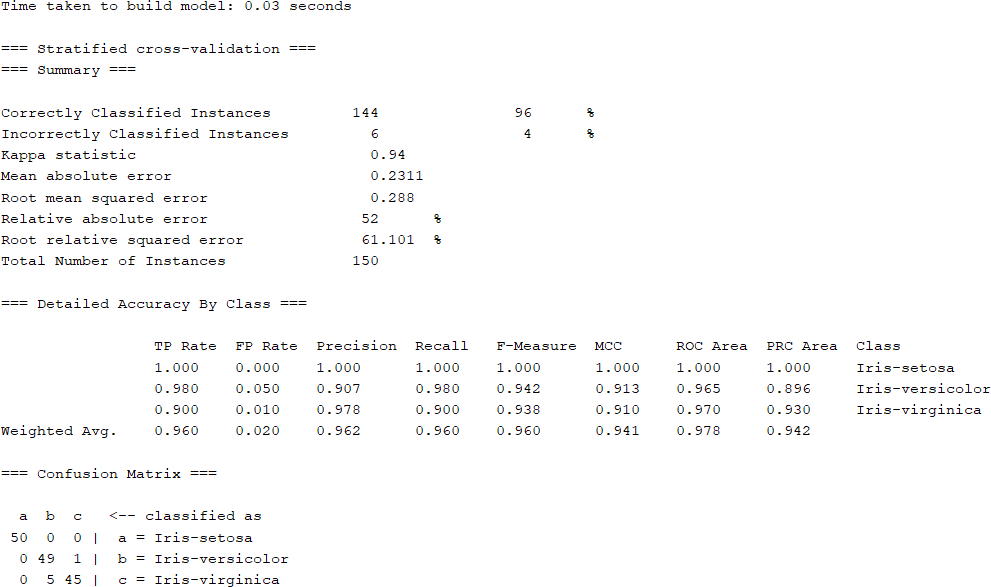
- Cross-validation (10 folds) is recommended for evaluation.
- Or Percentage split (e.g., 70% train, 30% test).
- Run classifier: Click Start.
- View results:
- Confusion matrix
- Classification accuracy
- Precision, Recall, F1-score
Output
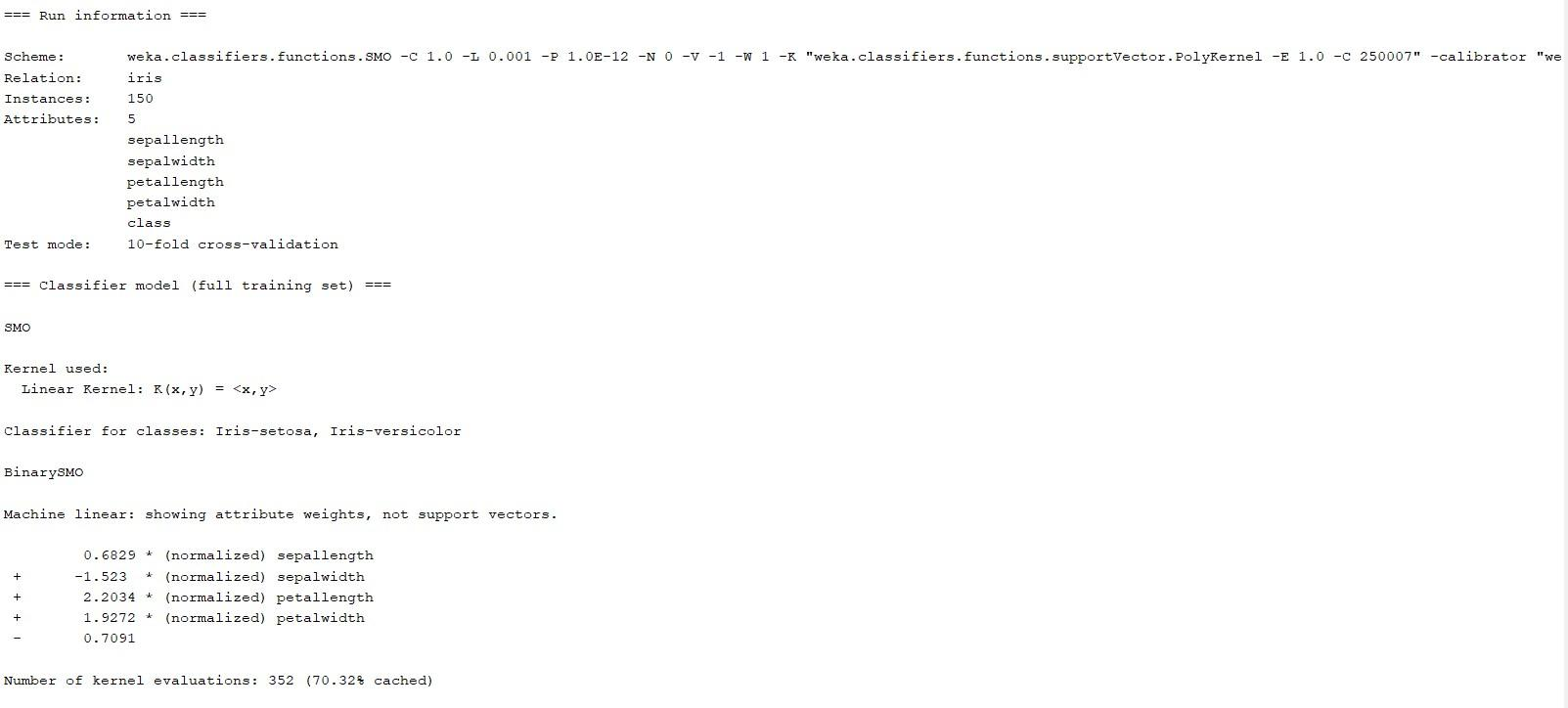
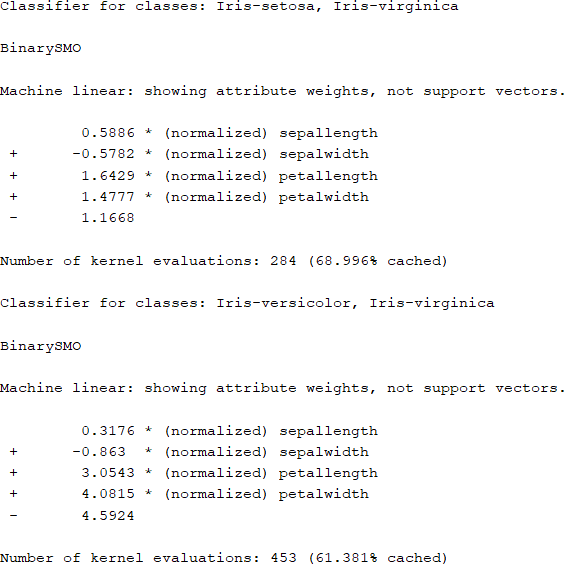
Result
The experiment was successfully executed, and the expected output was obtained using WEKA.