Experiment 08
K-Nearest Neighbors (K-NN) Classifier Using WEKA
Aim
To perform k-nearest neighbors (k-nn) classifier in weka using WEKA tool.
Procedure
- Open WEKA → Launch Explorer.
- Load dataset: Click Open file... → Select iris.arff.
- Go to the Classify tab.
- Choose classifier:
- Click Choose → lazy → IBk.
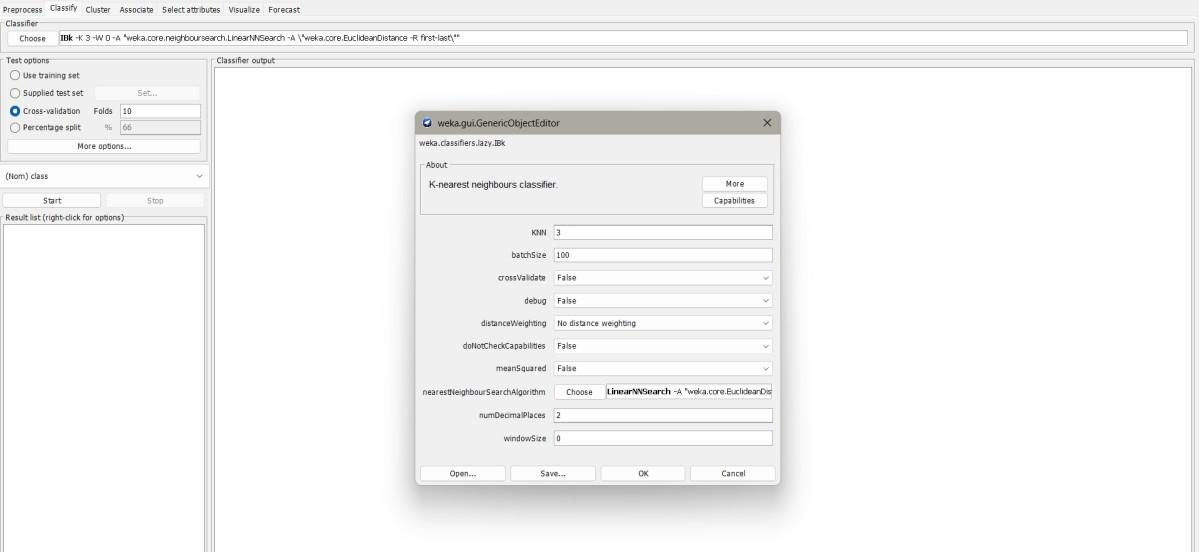
- Set k-NN parameters:
- Click on the classifier → Set KNN = 3 (or any value).
- Distance function = Euclidean (default).
- Select Test Options:
- Cross-validation (10 folds) is recommended.
- Or Percentage split (e.g., 70% train, 30% test).
- Or Supplied test set if you have a separate dataset.
- Run classifier: Click Start.
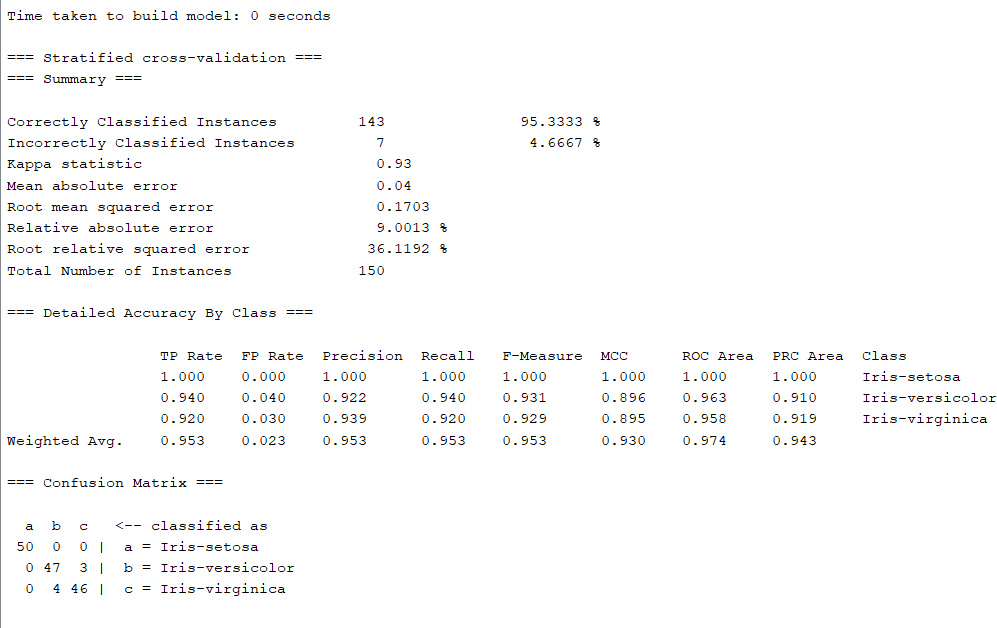
- View results:
- Confusion matrix
- Classification accuracy
- Precision, Recall, F1-score
Output
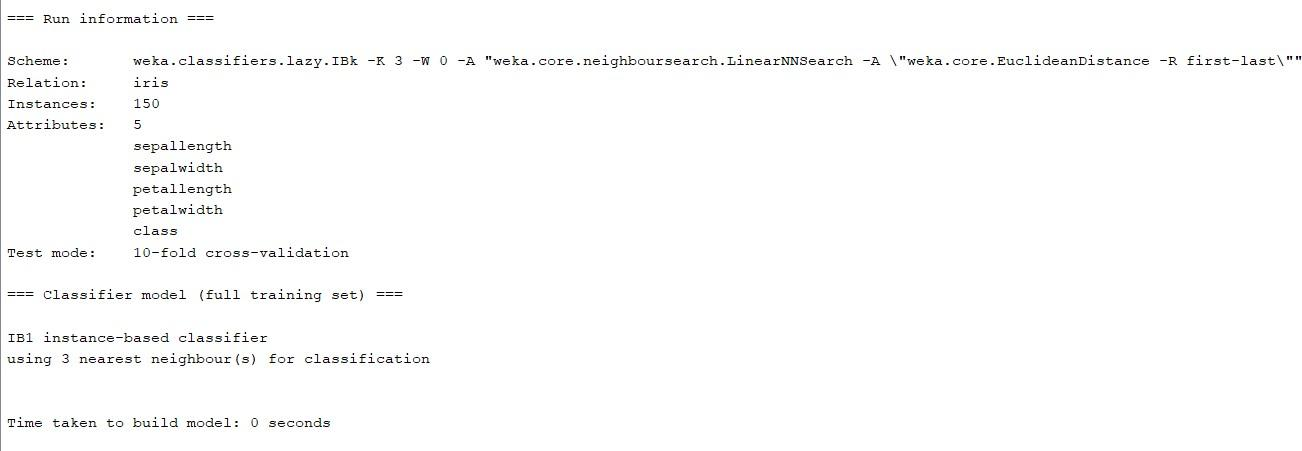
Result
The experiment was successfully executed, and the expected output was obtained using WEKA.