Experiment 07
Implement Decision Tree Classifier Using J48 (C4.5) in WEKA
Aim
To understand and implement decision tree classifier (j48) in weka using WEKA data mining tool.
Procedure
- Open WEKA → Launch weka.jar.
- Select Explorer.
- Load dataset → Click Open file... and choose a dataset (.arff or .csv). Example: iris.arff.
- Go to the Classify tab.
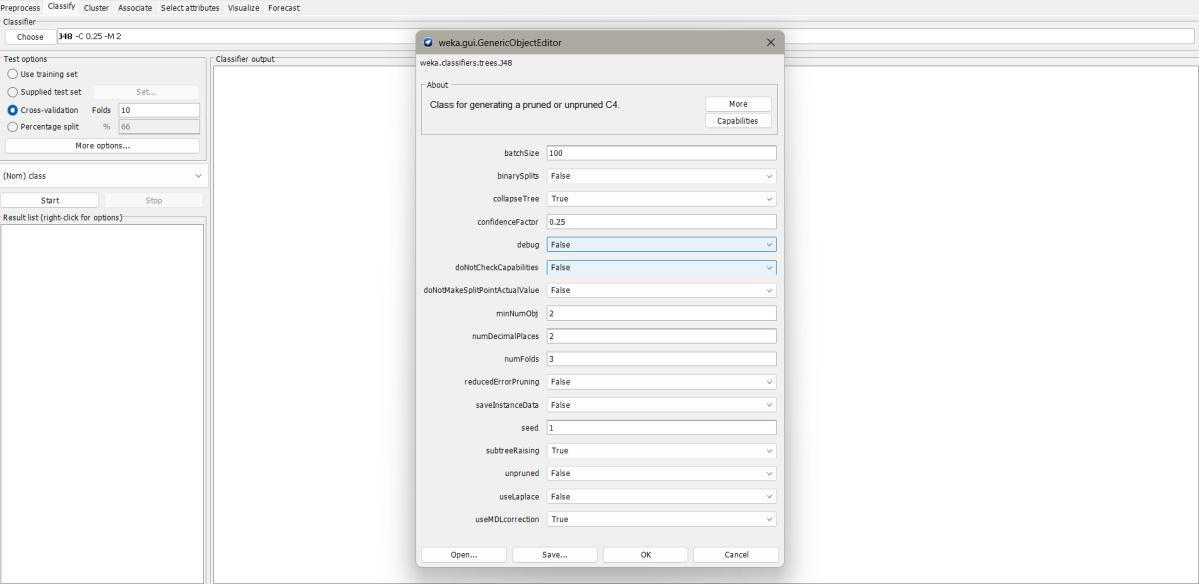
- Under Classifier → Choose, expand trees → select J48.
- (Optional) Configure J48 parameters:
- -C <value>: Confidence factor for pruning (default 0.25).
- -M <num>: Minimum number of instances per leaf (default 2).
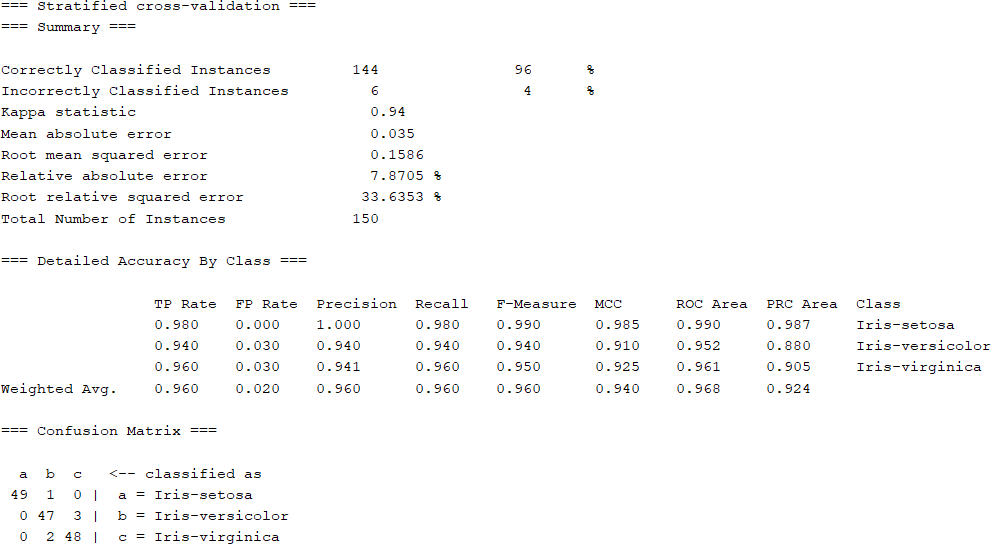
- Select Test options (cross-validation, percentage split, or supplied test set).
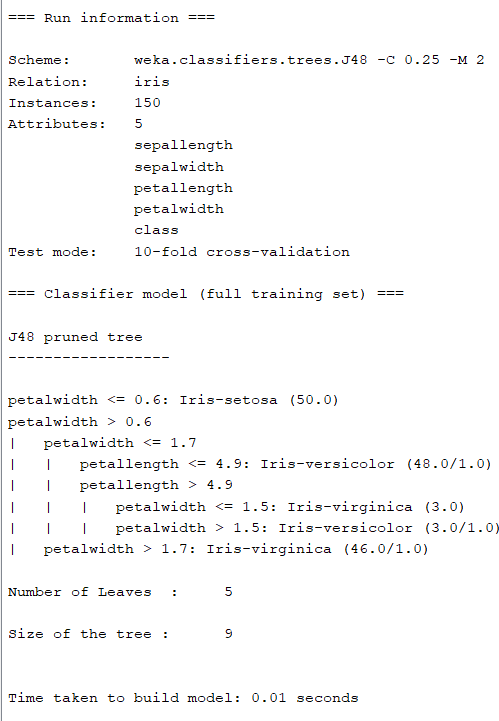
- Click Start → WEKA will output the decision tree and accuracy.
Output
Result
The experiment was successfully executed, and the expected output was obtained using WEKA.