Experiment 03
Data Visualization in WEKA
Aim
To perform data visualization in weka using WEKA tool.
Procedure
Step 1: Launch WEKA
- Open WEKA GUI Chooser.
- Click on Explorer to launch the main interface.
Step 2: Load a Dataset
- In the Preprocess tab:
- Click Open file.
- Load the dataset weather.arff (from the data folder inside the WEKA installation directory).
Step 3: View Attribute Information
- After loading:
- You'll see all attributes listed on the left.
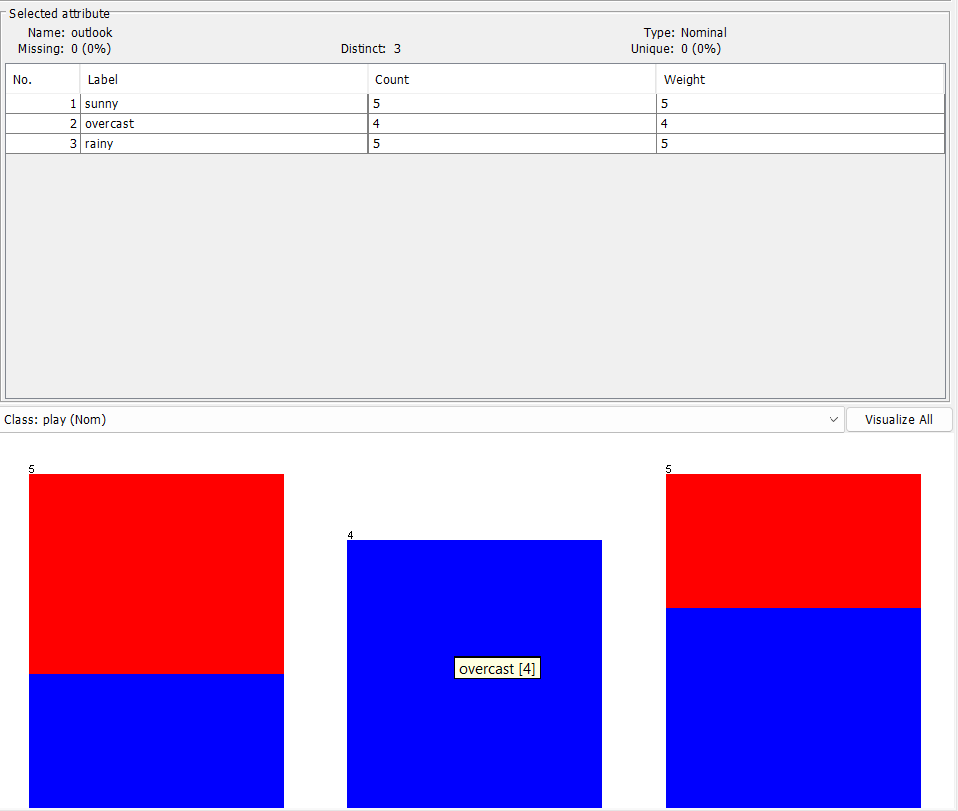
- Select any attribute (e.g., "outlook").
- On the right, WEKA displays:
- Histogram for nominal attributes.
- Box plot or line plot for numeric attributes.
- This shows the distribution of values.
Step 4: Visualize All Attributes
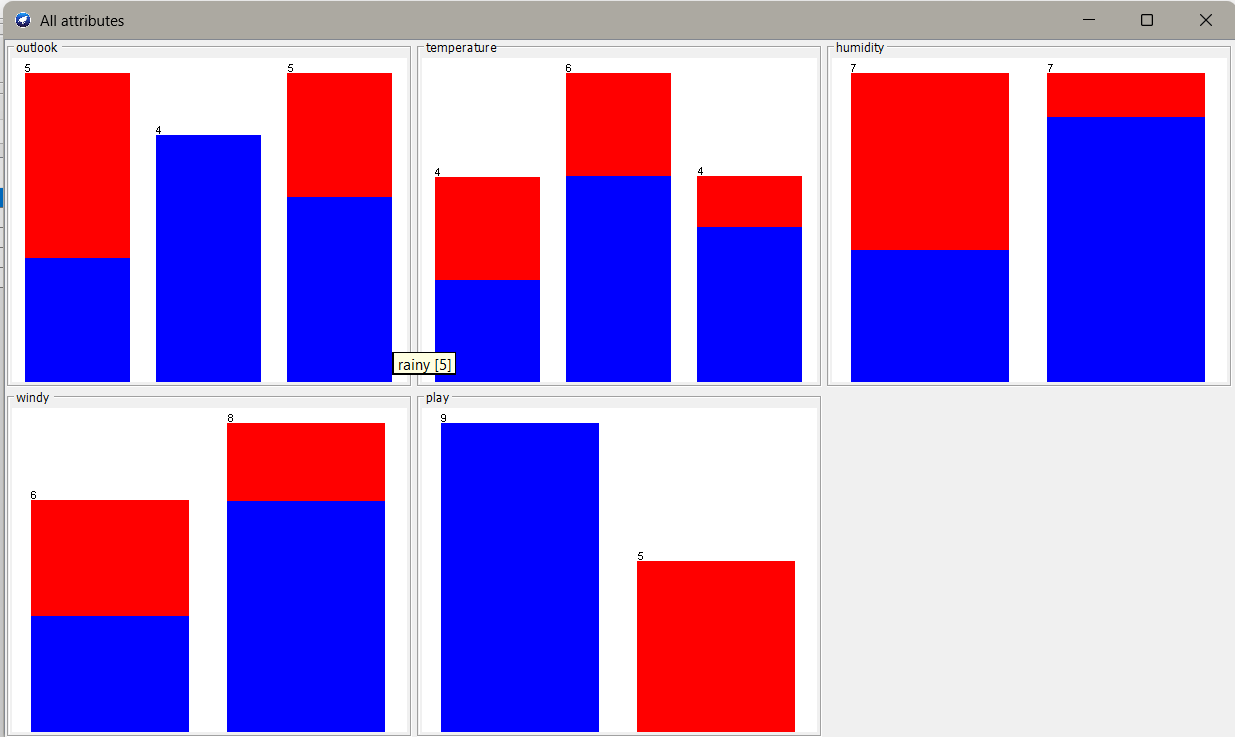
- Click on the Visualize All button (bottom-right corner).
- This opens a scatter plot matrix, showing relationships between all attributes.
- Each square shows how two attributes are related.
- Color is based on the class attribute (e.g., play=yes/no).
Step 5: Customize Visualization
- In the Visualize All window:
- You can change:
- X-axis and Y-axis attributes using drop-down menus.
- Coloring attribute (usually the class).
- You can also zoom in, drag, or select points.
- You can change:
Step 6: Visualize Individual Plots
- Use the Visualize tab (after classification or clustering):
- After running a model, go to the "Visualize classifier errors" to see prediction distributions.
- View ROC curves, error plots, and more.
Step 7: Export Visualizations
- Right-click on the chart area.
- Select Save or Copy to export the visualization as an image.
Example Use Case
Using weather.arff:
- Select the attribute "temperature".
- WEKA shows a histogram of different temperature values.
- Click Visualize All → You can see how temperature and humidity relate.
- Color the graph using class "play".
- Observe patterns (e.g., high humidity tends to "no" play).
Tips:
- Use filters (like discretize or normalize) to prepare data for better visualization.
- After running classification, use the "Visualize classifier errors" to understand how your model behaves.
- You can use "Attribute Selection" to reduce clutter in plots.
Output
Result
The experiment was successfully executed, and the expected output was obtained using WEKA.